
You can set up your Sumsub ID account in a few minutes, either while verifying at a partner app or directly on the Sumsub ID website. Once your verification is approved, your documents are saved for future use.
During verification with a Sumsub partner
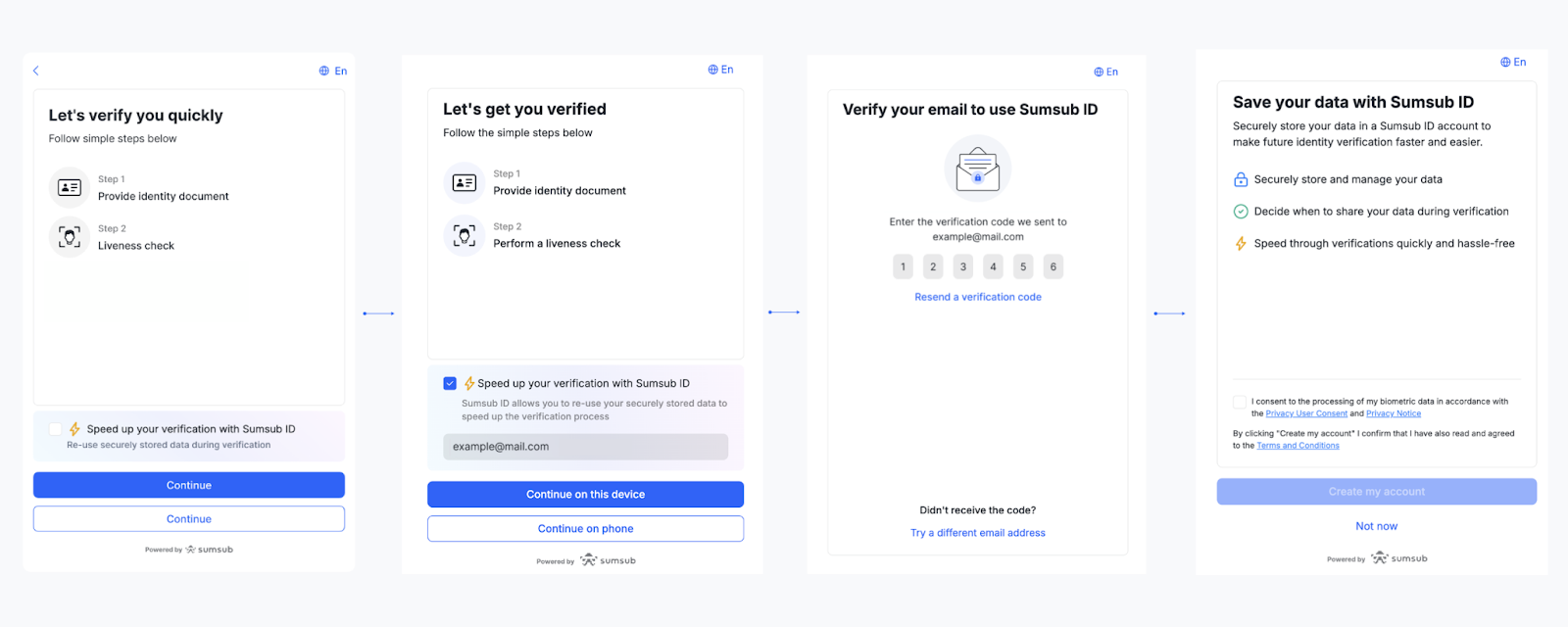
If you are verifying your identity at an app that uses Sumsub, you can create your Sumsub ID at the same time:
Start the verification process.
Select "Speed up your verification with Sumsub ID."
Enter and verify your email.
Click "Create my account."
After successful verification, your documents will be saved in your Sumsub ID account.
You will receive a welcome email from Sumsub ID confirming your account was created. The email includes the name of the app where you created it, to help you remember where it was created.
On the Sumsub ID website
Go to id.sumsub.com.
Enter your email and confirm it with the code sent to your inbox.
Your account is created.
You can now upload and verify your documents.
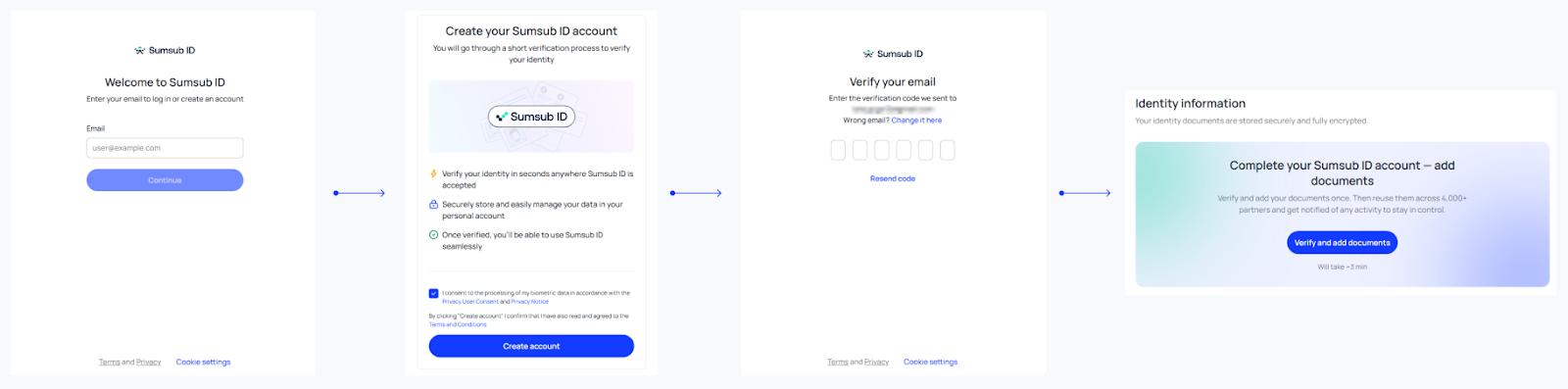
Once you upload a document and complete a face scan, your documents are stored and ready to reuse at any partner app.
If you create an account but do not yet add documents, you can always add documents later at id.sumsub.com or during your next verification.