
Some apps can connect to your Sumsub ID to verify you faster and with more privacy. Instead of uploading documents at every new service, you give specific permissions once — and you can review or revoke those permissions at any time in the Connections tab at id.sumsub.com.
How apps verify specific facts without accessing your documents
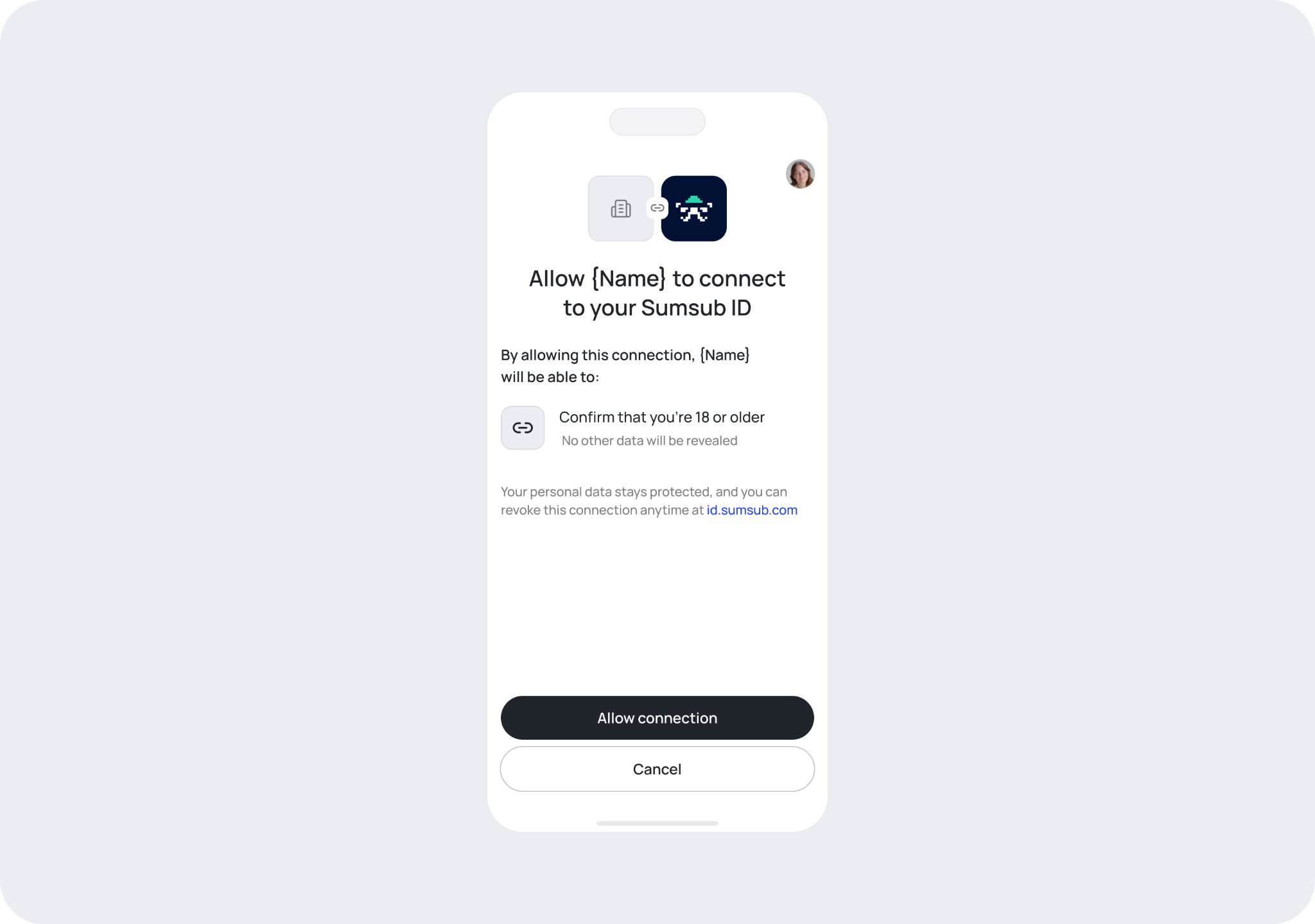
Some apps only need to confirm certain things about you — for example, that you are over 18 or that your name matches their records — without needing to see your actual documents.
When you connect your Sumsub ID to one of these apps, Sumsub shares only the specific verified facts the app requested. The app never sees or stores your passport, driving licence, or other identity documents.
Before anything is shared, you see exactly which facts the app is requesting and must give explicit permission.
Your sensitive documents stay in your Sumsub ID account. The app gets only the verified answer it needs — nothing more.
Here is how it works:
The app shows a Verify with Sumsub ID option.
You sign in to your Sumsub ID account (or create one if you don't have one yet).
If your Sumsub ID doesn't already have verified documents, you complete a verification.
You give the app permission to access specific facts about your identity e.g. "I am over 18".
How apps help you verify at their partner services
Some apps — like wallets or financial platforms — work with multiple partner services that each require identity verification. Normally, you would verify separately with every single partner. When you connect your Sumsub ID to one of these apps, you can skip that.
Here is how it works:
The app shows a Verify with Sumsub ID option.
You sign in to your Sumsub ID account (or create one if you don't have one yet).
If your Sumsub ID doesn't already have verified documents, you complete a verification.
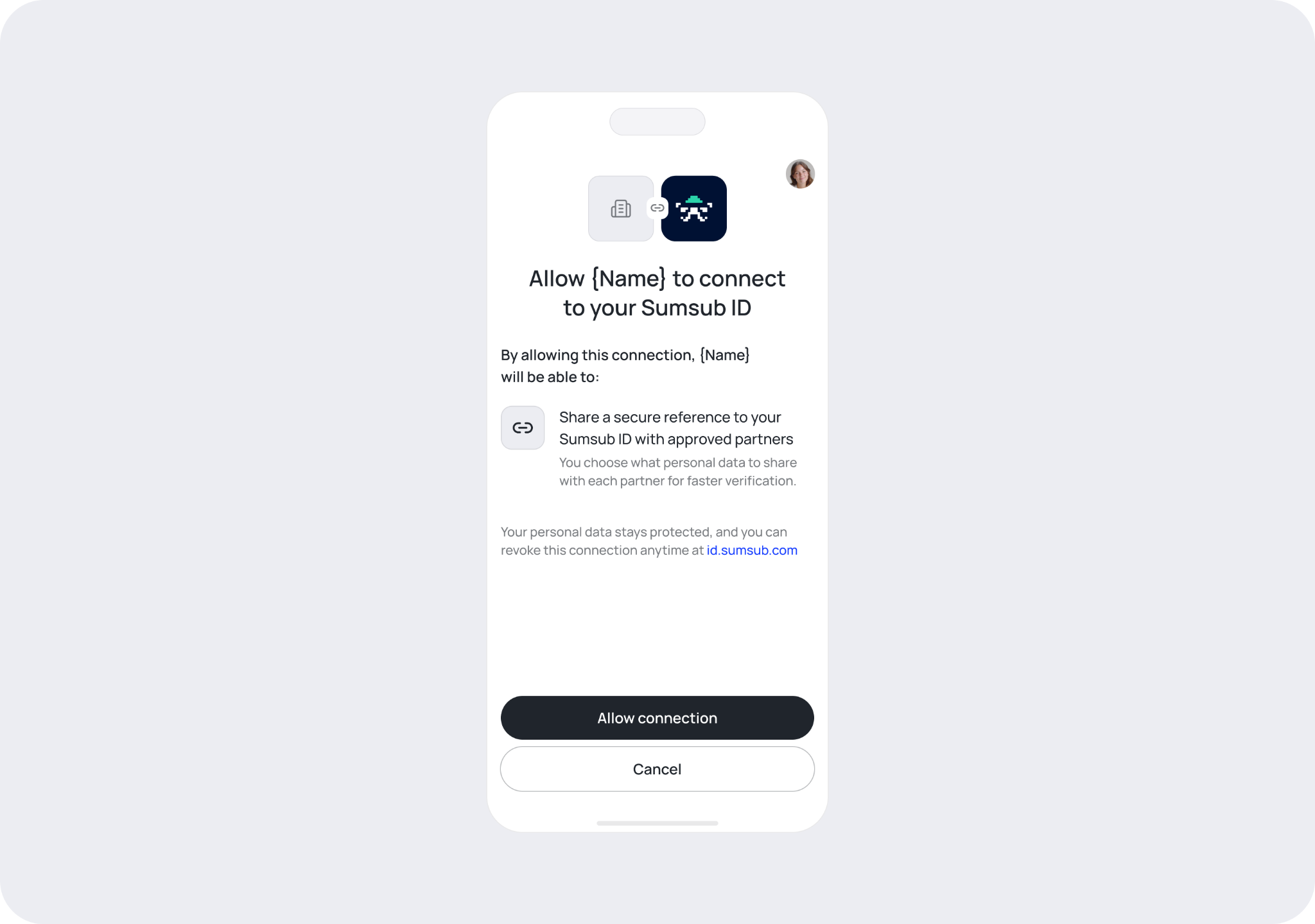
You give the app permission to share a reference to your Sumsub ID with their partners when they need to verify you.
The next time you go to a partner service requiring identity verification, you will be given the option whether to share your Sumsub ID data with that specific partner.
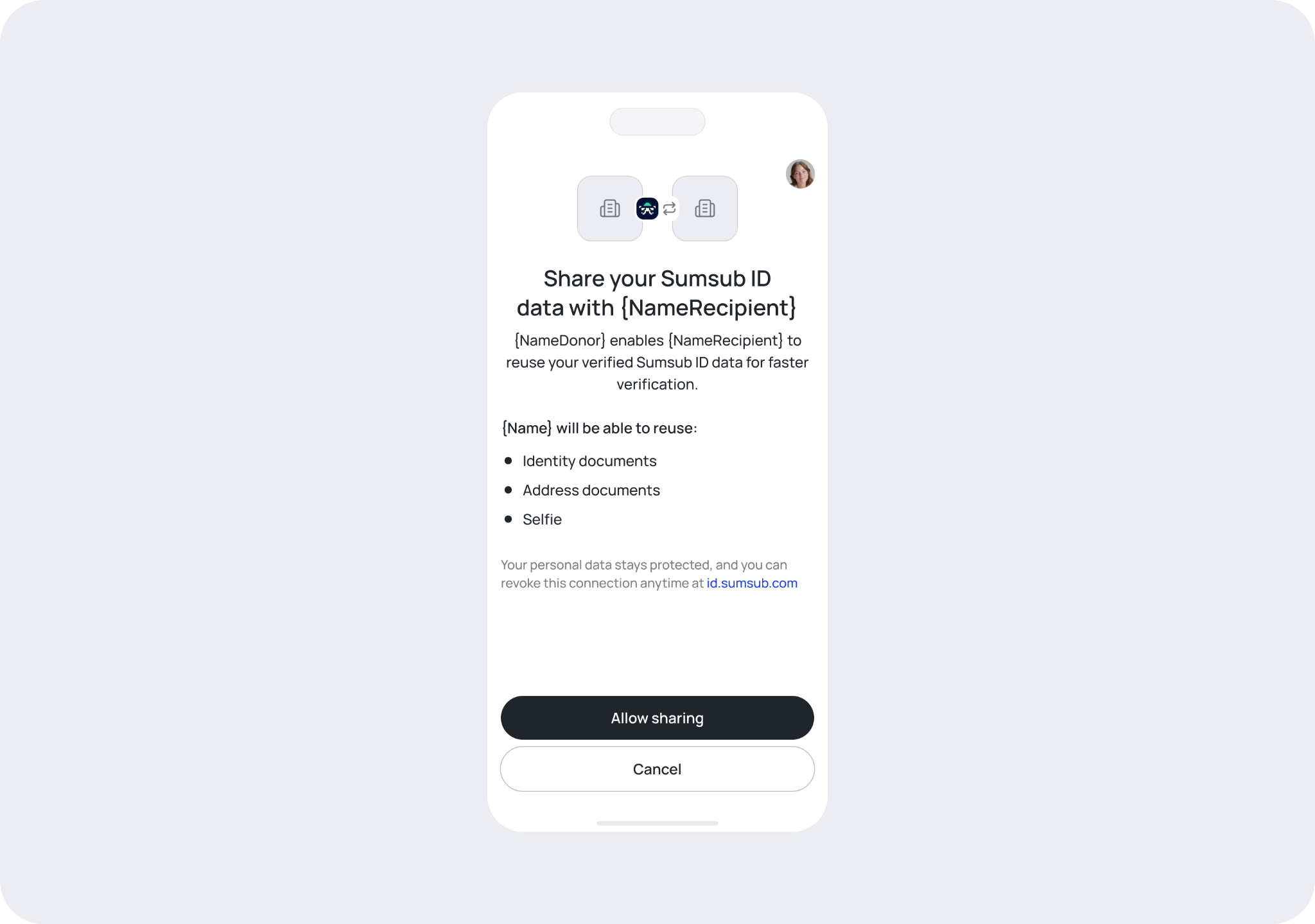
From that point on the partner app can complete their verification requirements without you needing to upload documents again. Each partner still runs its own compliance checks on the shared information, but the upload steps are skipped.
The connected app itself does not access or store your personal documents. In most cases it will only hold a reference to your Sumsub ID account. Your documents stay with Sumsub, and you remain in control of the connection.
What permissions you give when you connect
When you connect your Sumsub ID to an app, you are shown exactly what the app is requesting before anything is shared. Permissions may include:
Your email address
Your name
Your verified age
Permission to share a reference to your Sumsub ID with the app's partners
Nothing is shared without your explicit approval.
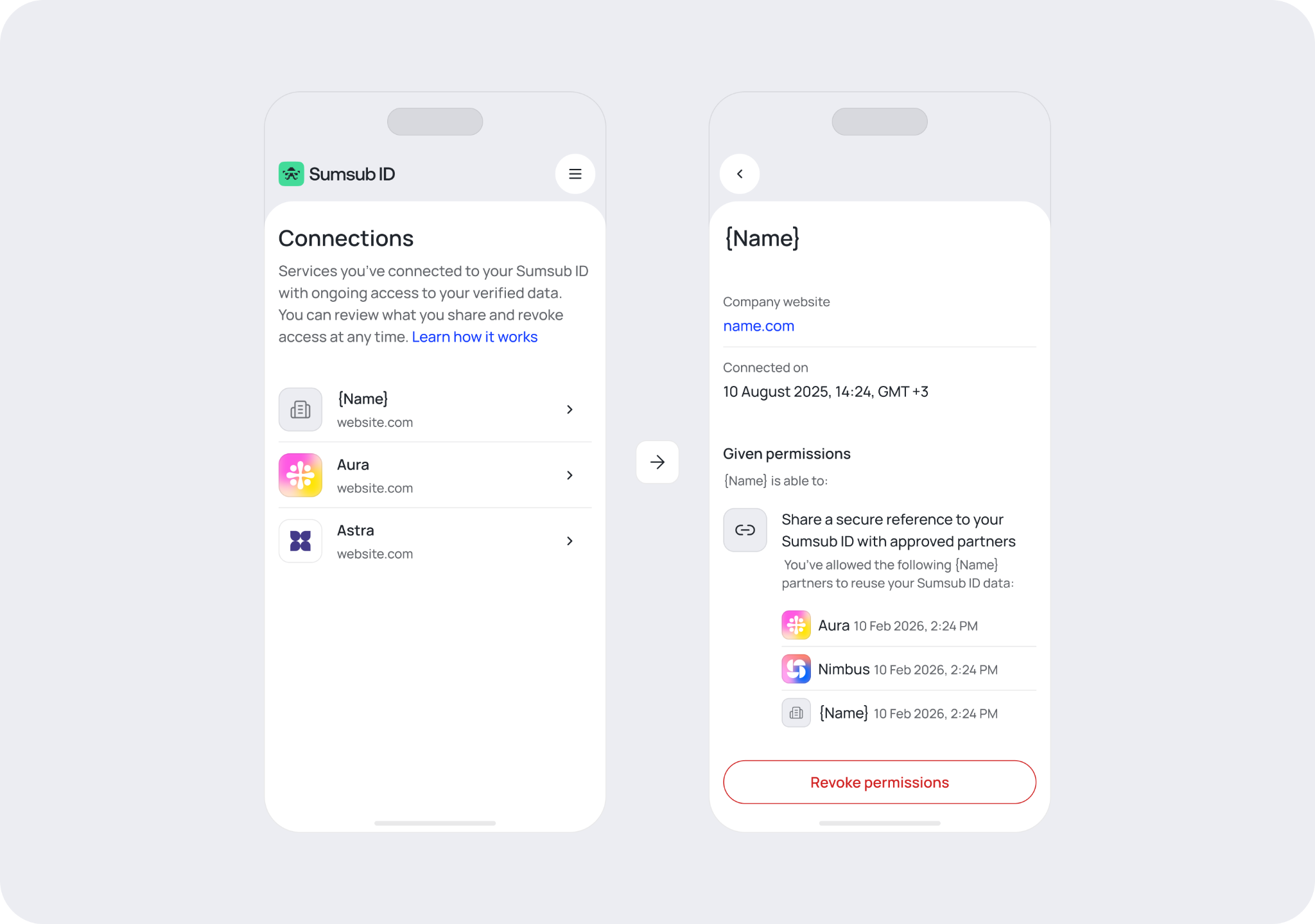
How to view your connected services
To see which apps are connected to your Sumsub ID:
Sign in at id.sumsub.com.
Go to the Connections tab.
You can see each connected app and the specific permissions you granted to it.
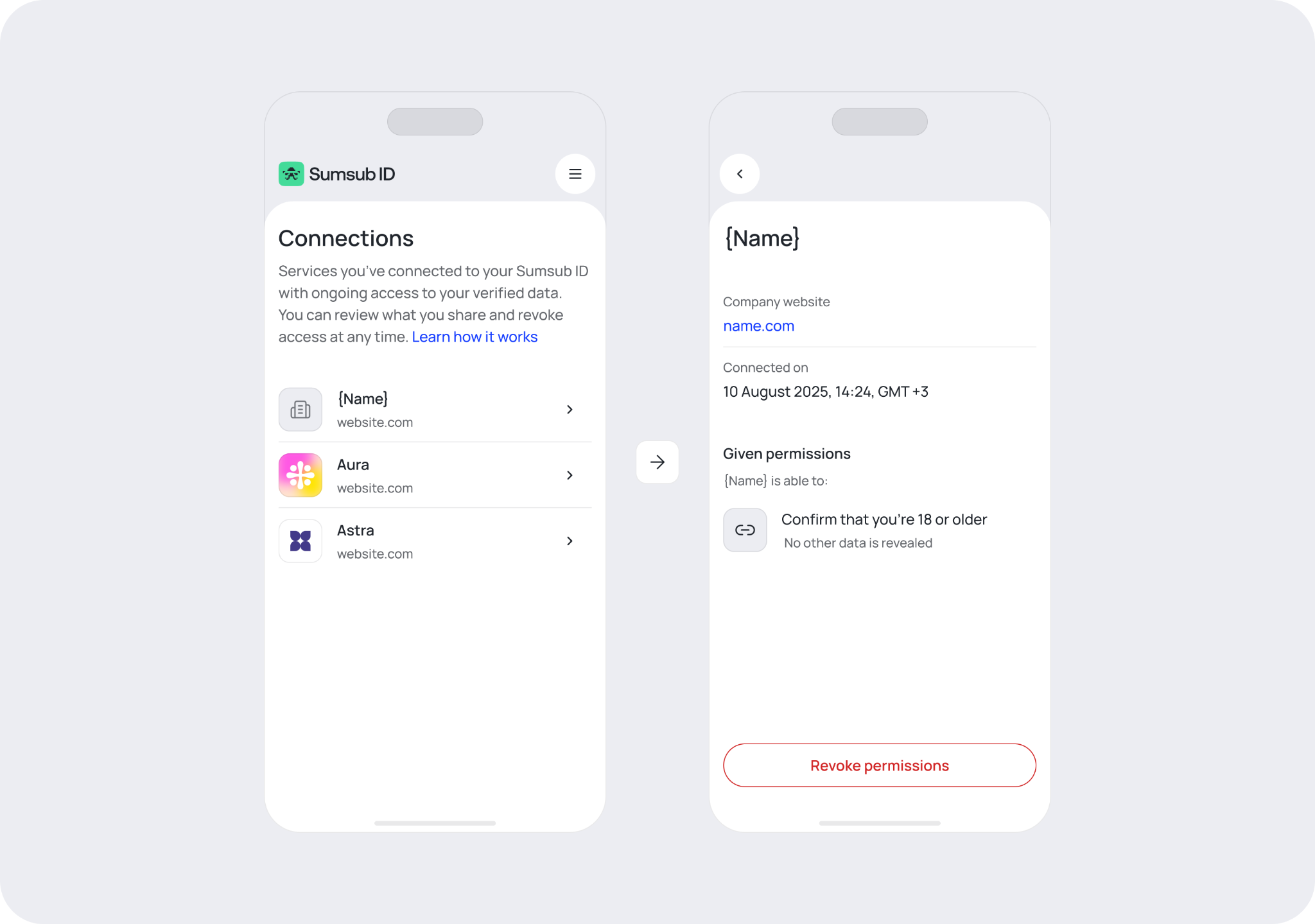
How to revoke an app's access
If you no longer want an app connected to your Sumsub ID:
Sign in at id.sumsub.com.
Go to the Connections tab.
Find the app you want to disconnect.
Revoke its access.
After revoking, the app can no longer share your information with its partners or receive verified facts from your account. Revoking does not delete data that was already shared with the app or its partners before you revoked.